AI Photo Wednesday (on Friday): New Tech Vintage Nerds
Posted on January 12, 2024 • 2 min read • 392 words
Every Wednesday, I post a photo/illustration created by Midjourney (generative AI) along with text and explanation. I tell the story behind the photo or illustration. When I have edited the image, I also share exactly what I did.
The Story
Alex Muetstege and I have recently started a podcast: ‘New Tech, Vintage Nerds’. Why vintage? Well, we’ve been around for a while, let’s leave it at that. Since I like to have some content on my own site, I’ve written an introduction for the podcast that will be posted tomorrow. Coincidentally, this is also the date that the first real episode of NTVN - New Tech, Vintage Nerds goes live. This week I wanted to post the photo after the podcast was posted, so that’s Friday. Want to know more about how and why Alex and I started the podcast? Then check out [this article]/en/2024/new-tech-vintage-nerds/ I posted yesterday.
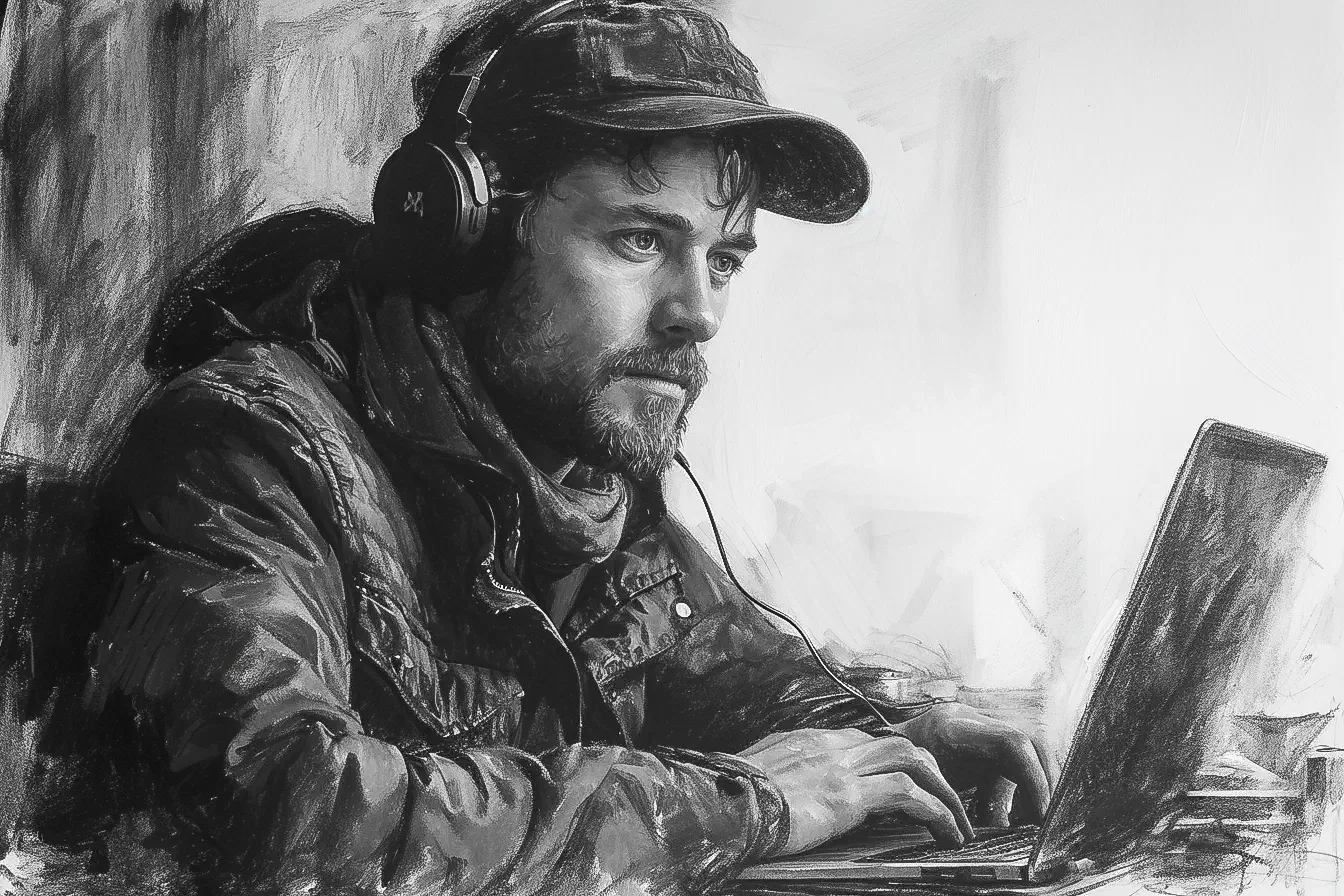
For articles on my own site, I try to always include a black and white picture, drawing, or photo, so it becomes a bit of ‘my thing’. I’ve been thinking about what fits an article about podcasting. Of course, an older man behind a microphone with headphones on. It did take a few attempts before I had a picture I was happy with.
Today’s Photo
Used Prompt
The prompt is quite straightforward: A black and white pencil drawing of a man podcasting. The end result is that he has headphones on and is sitting behind a laptop. I couldn’t have hoped for better.
a black and white pencil drawing of a man podcasting --ar 3:2 --style raw --stylize 750 --v 6Editing
Unfortunately, I did not write down what I did. I also did not save the changes in a Photoshop file.
What I do remember is that I did the following:
- Opened the downloaded photo from Midjourney in Photoshop
- Unlocked the first layer and converted it into a Smart Object
- Added a smart filter, Camera Raw
- In that filter, I adjusted the light settings: exposure, whites, blacks, shadows, and the like
- Under Details, I then slightly increased sharpening, about 2/3 of the slider
- Then with a mask around 75, only sharpened the lines
As far as I can recall, these are the only changes I made. I then saved it as a PNG and used it in the article.