How to make your kitchen smart - A practical guide
Posted on February 6, 2024 • 11 min read • 2,211 words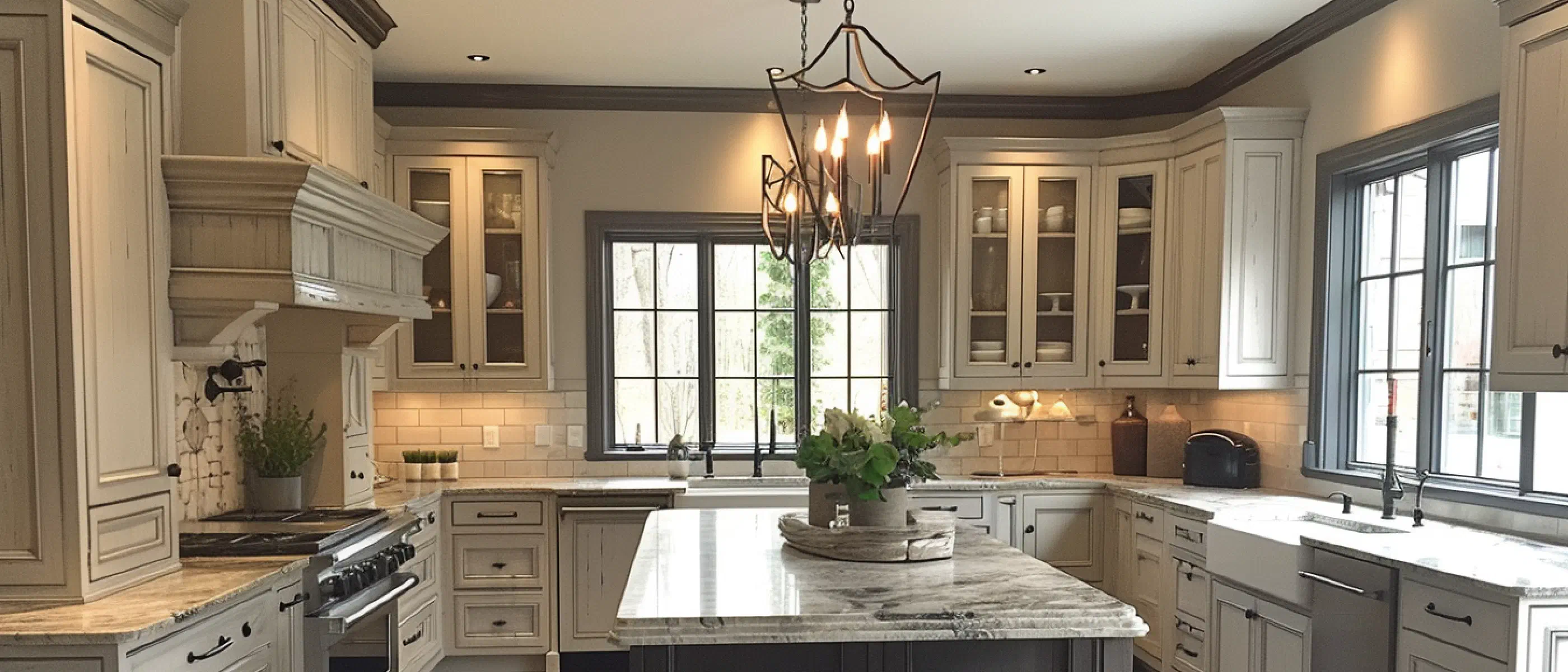
How can you make your kitchen smart? I’ll show you. It doesn’t mean you have to spend thousands of euros and replace all your appliances. No, it can be done with relatively simple means. It all depends on how far you want to go and what ‘smart’ means to you. For some things, I’ve included pseudocode, so you can also relatively easily incorporate this into your own smart home. You can do this with IFTTT (if-this-then-that), but you can also use Google Home, or Amazon Alexa. I do it with [Home Assistant].
What is a smart kitchen?
Before we can look at how to make the kitchen smart, we need to determine what our definition of a “Smart Kitchen” is. For me, a smart kitchen means that, when I’m in the kitchen, I feel comfortable and I enjoy being there. And that I don’t get (excessively) stressed because I have to pay attention to everything and press buttons with dirty hands.
But okay, now we’re talking about ‘comfortable’, what does that mean? One of the definitions I like to use is “What is convenient and pleasant”. This actually says everything but also not so much. If we disregard “convenient”, we come to “pleasant”. What is pleasant for me might not be pleasant for you. For example, I like it when the lighting automatically turns on in the kitchen when it gets dark and I walk into the kitchen. Conversely, the light does not need to be on when I’m not there. When I’m not in the kitchen, I still want to keep some sort of overview of what’s happening in the kitchen or how long something has left.
My translation of a smart kitchen is that the kitchen almost reacts to what I want, at the moment I need it. That I don’t have to think about how to use my rice cooker, or that I need the manual first before I can set the oven to roast. Setting a timer should also be simple. Since I’m quite fond of gadgets, you would expect that everything should have a plug and that I would want to operate everything remotely. That’s true, but some things I want to be as dumb as possible, ‘stupid simple’.
[Image related to the smart kitchen concept]
Timers
For setting timers, a voice assistant is incredibly handy. I use Siri for setting timers. Very easy, just “Hey Siri, set a timer for 5 minutes”. I don’t have to watch the time anymore, plus I don’t get alarms or timers dirty with my hands. Always handy when you’re cooking. But of course, you don’t have to use Siri for this, if you’re completely Android idolatrous, or if you have more confidence in Amazon’s Alexa. You could also choose one of the many timers in the app stores of different mobile platforms. With the latter category, you will have to see if you can operate them with your voice, unless you don’t mind getting your phone dirty with dirty hands.
Appliances
For cooking rice, we use a rice cooker. This is one of those devices we want to be as dumb as possible. On the one hand, it bothers me because I have to pay attention to when the rice is ready. On the other hand: The device has only two buttons, namely on/off and cook/warm holding. Hardly anything can go wrong. The advantage of a rice cooker over cooking on your gas stove or hot plate is that it doesn’t overflow. Lovely.
If you want such a simple rice cooker, take a look at the Tristar rice cooker for 4-6 persons. This is exactly the same as the one we have.
If your appliances in the kitchen have these kinds of smart functions: use them! And I might even be a little jealous.. For our coffee machine, I also looked at whether I could automate it further. Since I had to do a repair on the device a while ago, I quickly looked at whether I could automate it. Ultimately it would be possible, but I wondered if it was worth the effort. Most coffee machines rinse when you turn them on, including ours. This would mean that I still have to switch cups, unless I also automate that. You know, a little robot, a little conveyor belt. Who knows, someday. But in the end, I chose not to do it. What I did do, and I think this is a good tip, is set the timer on the coffee machine so that it automatically turns on in the morning. While I’m making my breakfast in the morning, I can at least enjoy a very [necessary fresh cup of coffee.]/en/2017/een-kop-koffie-voor-het-humeur/
When the appliances need to be replaced in the future, I’ll definitely look at how I can integrate them into my smart home. And some I might even adjust myself, like the range hood, as we still have it on longer because of odors after cooking. But once on the couch, of course, you don’t want to get up again to turn off the range hood. My ‘conceived’ solution is to add an ESP32 microcontroller with relay to the range hood and replace the existing push buttons with pulse pushers. I can then remotely turn the range hood on and, more importantly, off.
Lighting
As I mentioned in the introduction, an important part of comfort for me is that the light reacts to my presence. That also means that in our smart kitchen, the lighting automatically turns on and off.. When it’s dark, the lights automatically turn on as soon as you’re near the kitchen. After you walk out of the kitchen, the light also goes off after a while. For this, I use a timer, which is called when there’s no more movement.
To realize this, I replaced the built-in dimmers in the kitchen with ones I can control remotely. In this case, those are Zigbee dimmers. For the techies among us: These are dimmers that can function without a blue wire (neutral wire), so you don’t need to pull separate wires. At most, you may need to add a no-load resistor with the use of LED lighting.
In my smart home system, I use two different circuits. It could also be done in one, where I make a distinction which sensor or timer activates the automation. I want to rebuild that sometime.
**When:**
	kitchen sensor motion changes
	If at least one of these conditions is met:
		- the motion is between sunset and sunrise
		- Light sensor in the kitchen receives less light than: 5
**Do:**
	- Turn on the lighting above the cooking island
	- cancel the timer
Earlier I had ‘if motion is detected’, but then the lighting would often go out. That probably has to do with the sensor’s cool-down time. To work around this, I use any change of the sensor, not only when it detects motion. The light sensor ensures that it also turns on during dark days during the day. The reason I don’t only use the light sensor is that as soon as the lights turn on, the lamp gives so much light that the sensor goes above the value. That would mean that the lighting would still go out in the evening, while there’s definitely motion.
**When:**
	kitchen sensor motion resets
**Do**:
	- start timer_kitchen, 1 minute
This way, the light neatly goes off after one minute.
I admit, you could also do this with ‘simple’ [motion sensors], which you may or may not include in your smart home system. The advantage of doing it with a remotely controllable dimmer or switch is that you can also use it at other times. Another automation where I use these dimmers is:
	Apple TV is paused in the evening
**Do**:
	- kitchen lighting on
	- start timer_kitchen, 1 minute
After all, you sometimes want a snack or a drink when you’re watching TV. And where do you have to go? Exactly, to the kitchen. And the timer is because you sometimes change your mind, and then the lighting would stay on all the time. Waste, right?
Ordering and Inventory
So I didn’t automate the coffee machine. What I did do is largely automate the [ordering of coffee process]. The person who puts the last coffee in the coffee machine scans an RFID tag. As a result, a switch is flipped on the dashboard on our iPad. I then know I need to order coffee.
Other things you could do to automate orders and inventory is to use an app that keeps track of your inventory. By scanning barcodes of products as soon as you put them in the cupboard and as soon as they are depleted, you know exactly what is in the house and whether you need to order new things. I still have a stray barcode scanner lying around somewhere that I once wanted to build in. I had seen this at the [House of the Future] in Rosmalen, but unfortunately, it never happened.
Notifications
I use smart plugs from different brands, such as those from Fibaro and Ikea, to detect if power is being used by a device. Based on this, I can then send an alert that something is ready, for example ‘The microwave is ready’. Handy, if you’re elsewhere in the house and don’t hear the microwave.
**When:**
	Microwave Electrical power consumed changes
	If at least one of these conditions is met:
	  - this is lower than: 25 Watts longer than 15 seconds
**Do:**
	- Text-to-speech: Office AJ
		message: The microwave is ready
I could add a condition here if someone is home, but I assume the microwave is not on when we are not home. Besides, we wouldn’t hear the message. I do the same thing for the dishwasher. Here I monitor the disappearance of power consumption after a certain period. This way I know that the dishwasher is done drying.
Smart Thermometers
Besides that, you also want to know if something is cooked properly. You could guess in the hope that you finally guess right. But you can also use a thermometer that you can read remotely, like a Inkbird or Flame Boss. This allows you to sit nicely on the couch and still keep an eye on your food. Fantastic, right? And if you have a thermometer from Meater you can also make an educated guess about when the food is ready. The thermometer does not only measure, but the accompanying app also does an estimate based on the temperature rise and the type of meat when it should be done. Super!
Apps
For many of the things I mentioned above, there are apps available. For example, recipe apps, apps to keep track of what you eat, but also apps to control your smart equipment. A few examples in each category are below. Don’t think: “Yes, but my app is not listed??” That could be right, that’s why I also say that they are ‘a few examples’.
Recipe apps
To make optimal use of your smart kitchen you need recipes. At least, if you’re such a cook as the undersigned. I can just fry an egg without a recipe, but not much more than that.
What apps can you use to store recipes? You could use one of the ones listed below. I don’t use Crouton and Paprika myself, so I can’t say much about them. I use Recipe Keeper on both the iPad, laptop, and on my mobile phone. Always have everything at hand, including a shopping list. The apps:
- Recipe Keeper
- Paprika Recipe Manager 3
- Crouton
Stock apps
But what if you’re in the store and wondering what you’re going to cook tonight. Gulp. What do we have in the house again? Luckily there’s an app for that. One smarter than the other. You can make a list, but why not take a picture of your fridge or pantry? Then you know what you have, including the best-before dates.
The apps:
- NoWaste - food inventory list
- Pantry Photo - Easy fridge management
Apps to track your calories
After all that delicious cooking and eating, you step on the (smart) scale and realize that you maybe should pay more attention to what you eat. For that you can use one of these apps:
- Food
- Myfitnesspal
- Foodnom
Appliance apps
If you are lucky enough to have smart kitchen appliances, you can control them via an app on your phone or tablet. Or, like the LG washing machine we have, include it in [Home Assistant]/my-first-steps-with-home-assistant). You not only hear that annoying tune when you’re nearby, but you can also have other actions happen in your smart home. For example, you could make the lights in the bedroom flash, or have your voice assistant inform you when the laundry is done. Always handy if you need your chef’s clothes.
The apps:
- LG ThinQ app - fridge, washing machine
- Samsung Family Hub app - fridge
- Liebherr SmartDevice
- Home Connect
And now you
Do you also want a smart kitchen? And what does that mean for you? What will you automate first? Do you have apps or devices that I absolutely must use in our smart kitchen?
See also
Related posts
3D Printing, Wi-Fi Wins, and Pi Clusters with Turing Pi 2
February 1, 2024


A Cuckoo Clock, but Digital - Cuckoo in Home Assistant
February 20, 2024