Order coffee via a NFC tag in Home Assistant
Posted on January 29, 2023 • 4 min read • 695 words
You can think what you like, but I cannot imagine life without coffee. You would think I’d be ’trained’ by now to get new coffee in time or place an order. Far from it. It even happens that the last coffee goes into the coffee machine while I haven’t ordered new ones yet. And a day without coffee is a day not lived. When I received NFC tags with my Switchbot order, I knew exactly what I was going to do with them: Automate the coffee ordering process using an NFC tag in Home Assistant.
Former situation
At the moment, I get the question ‘are you ordering coffee?’ Not that my spouse would be very angry if I don’t order in time since she doesn’t drink coffee. It would only inconvenience myself. But since I sometimes forget or procrastinate until it’s too late, I wanted to come up with a solution.
In short, the old situation is as follows:
- The last pack of coffee is opened.
- I get the question: Are you ordering coffee?
- I postpone it.
- At the very last moment, I order coffee and hope it arrives before the last beans are ground.
Of course, I could go to the supermarket to buy coffee, but unfortunately, the brand of coffee that I finally settled on is not available in the supermarket. The only option for me is to order online .
Time for a (technical) solution, then.
New situation
That technical solution consists of an NFC tag and a smart home system. An NFC tag, which stands for Near Field Communication, can be scanned by an NFC reader. You’re probably familiar with this process if you’ve ever made wireless payments with your bank card or mobile device. In this case, the NFC reader is a mobile phone.
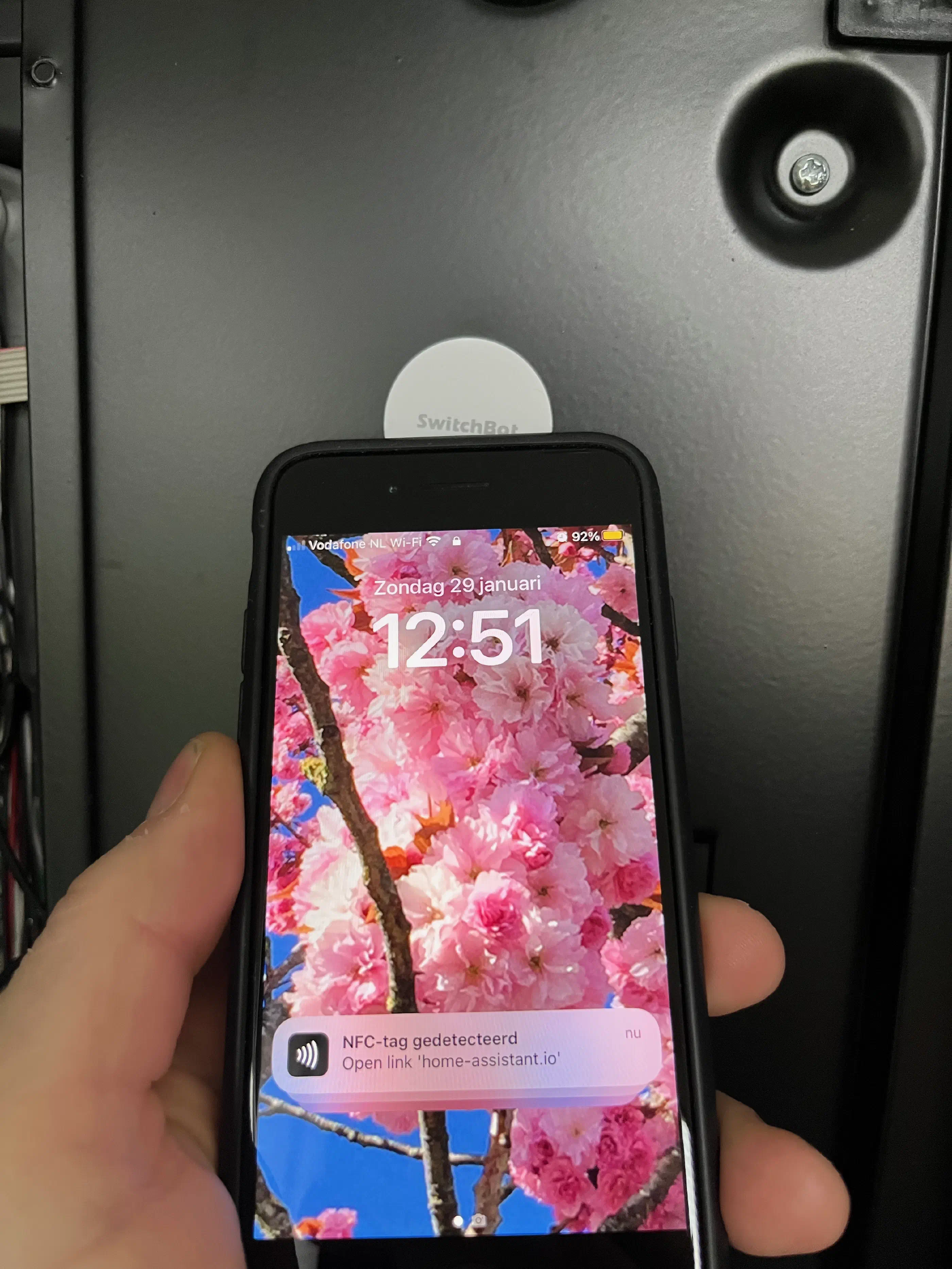
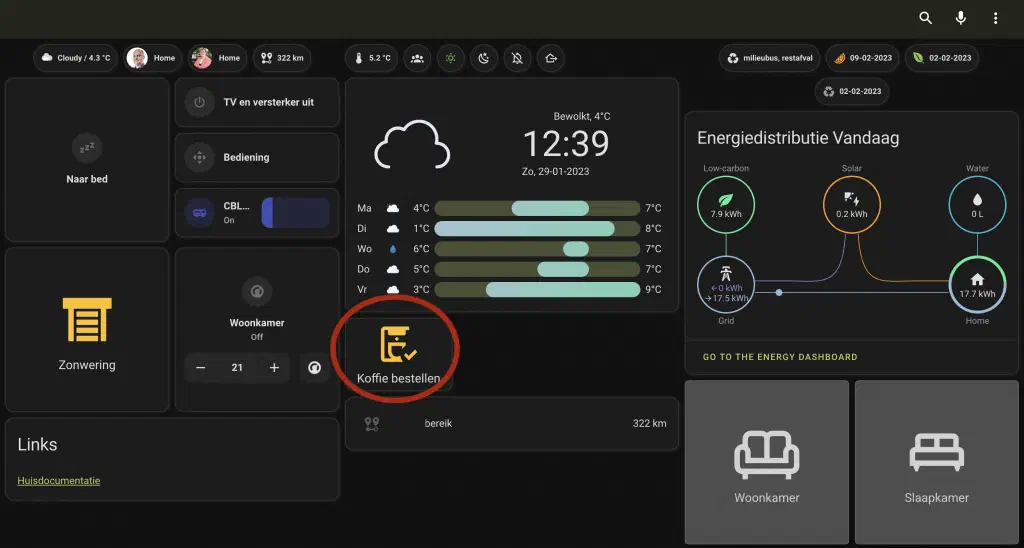
As soon as the tag is scanned, a switch is flipped in our smart home, based on Home Assistant . This switch makes it visible on our tablet interface that coffee needs to be ordered. As soon as I have placed the order for coffee, I turn off the switch, and the process can start anew.
The technique
As mentioned, I use an NFC tag from Switchbot and Home Assistant to actually make this happen.
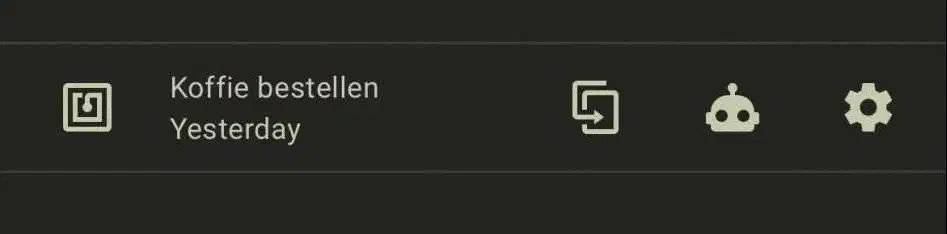
To introduce the tag to Home Assistant, you go to Settings->Tag->Add new tag.
Then give the tag a name that you can easily identify, in my case ‘Order Coffee’.
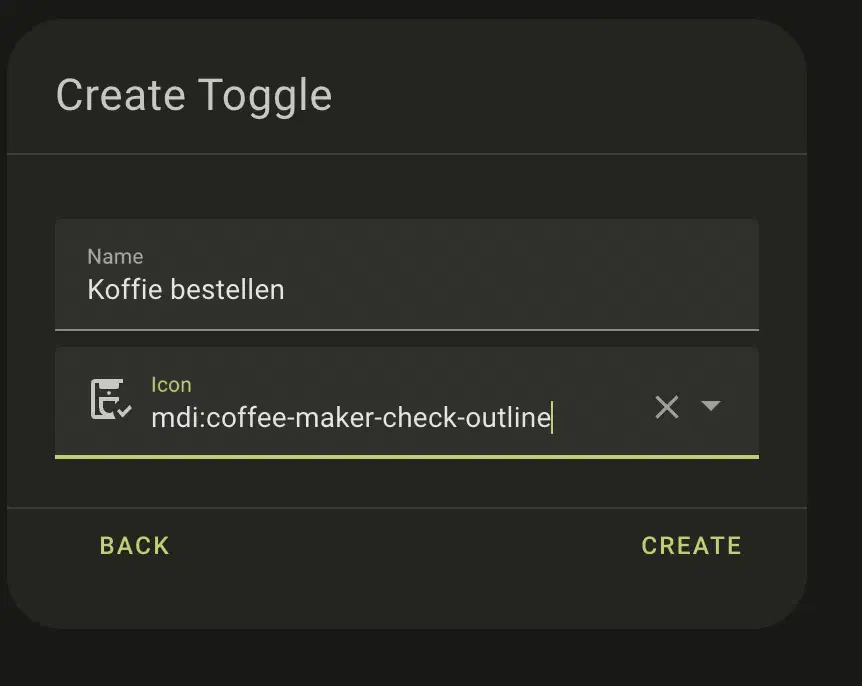
To actually do something with the tag, I made an input_boolean, which I later use as a visual cue on the dashboard. You can create this in Settings -> Devices & Services -> Helpers -> Create Helper. Choose the Toggle type. Give your helper a name, in my case ‘Order Coffee,’ and give it an icon, for example, mdi:coffee-maker-check-outline.
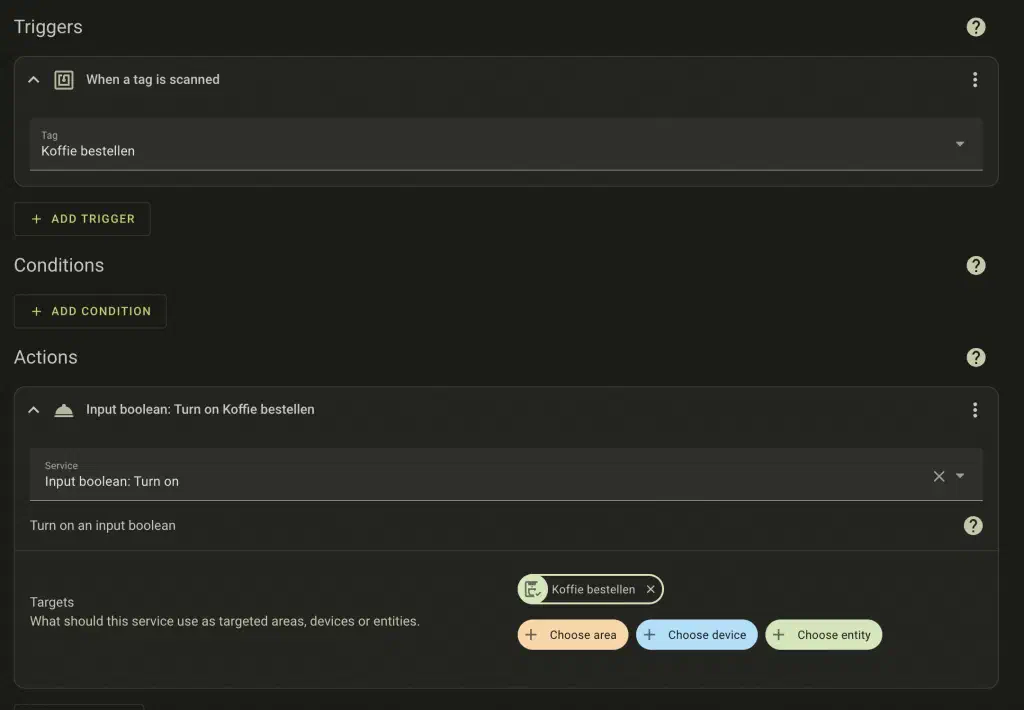
Then you create an automation that sets the input_boolean to true/on when the tag is scanned. You can do this from the screen where you learned the tag, but also from Settings -> Automations & Scenes -> Create Automation and start with an empty automation and configure as below.
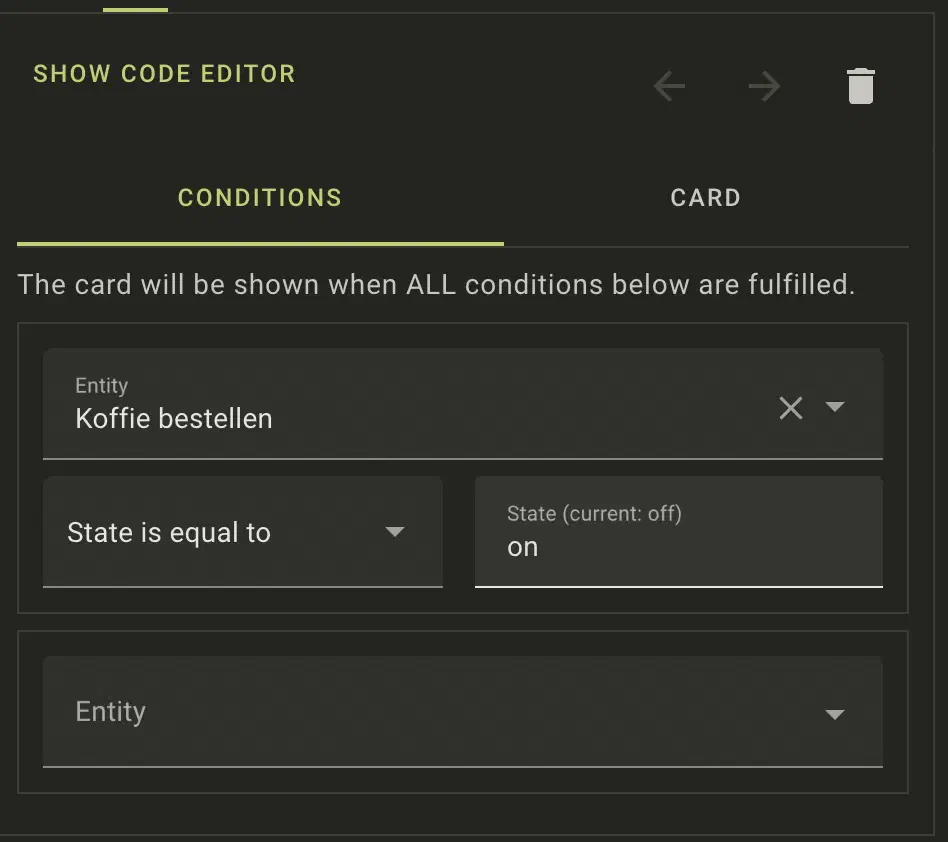
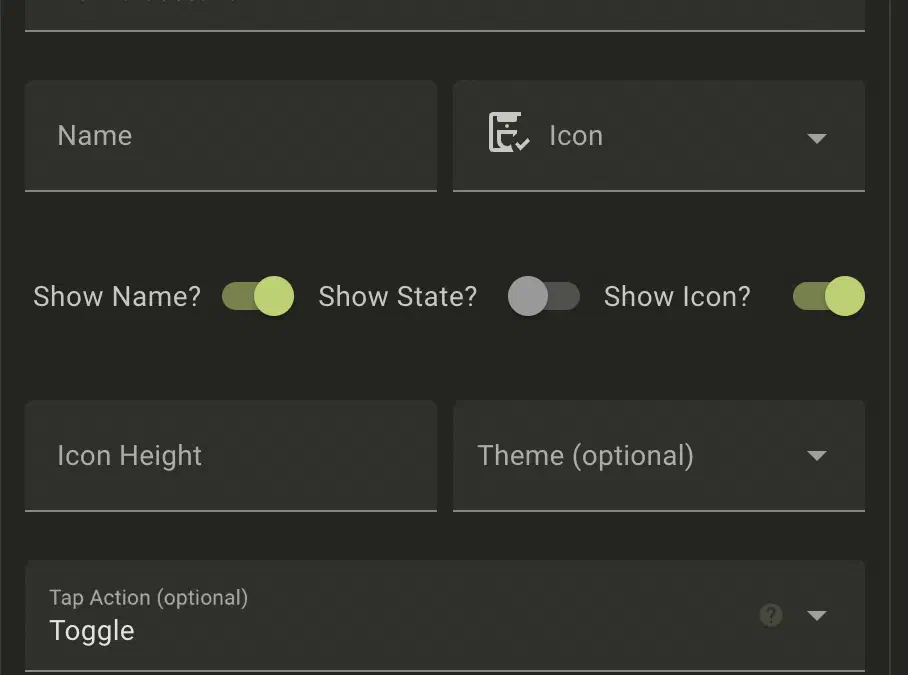
What finally remains is some way of displaying it on the dashboard. I chose to use a conditional card with a button card so that the switch, and therefore the notification, is only displayed when the tag has actually been scanned and coffee needs to be ordered.
 With this, the complete automation is ready, and we can order coffee more or less automatically.
Conclusion
Based on this, I could immediately create an automation that sends me a message or tells me through the speaker that I need to order coffee, but then I hear it and forget or ignore it. That wouldn’t be much of an improvement. I could add it to my todo app (in this case Todoist), but I haven’t integrated it into Home Assistant yet. I could even completely automate the ordering process via some tricks, but that’s a bit too much for me. Before you know it, DHL or PostNL is at the doorstep with 3 pallets of coffee.
Question to you
What are you going to automate with an NFC tag in Home Assistant?