The ultimate configuration gadget: The Reality Editor
Posted on November 4, 2017 • 4 min read • 770 words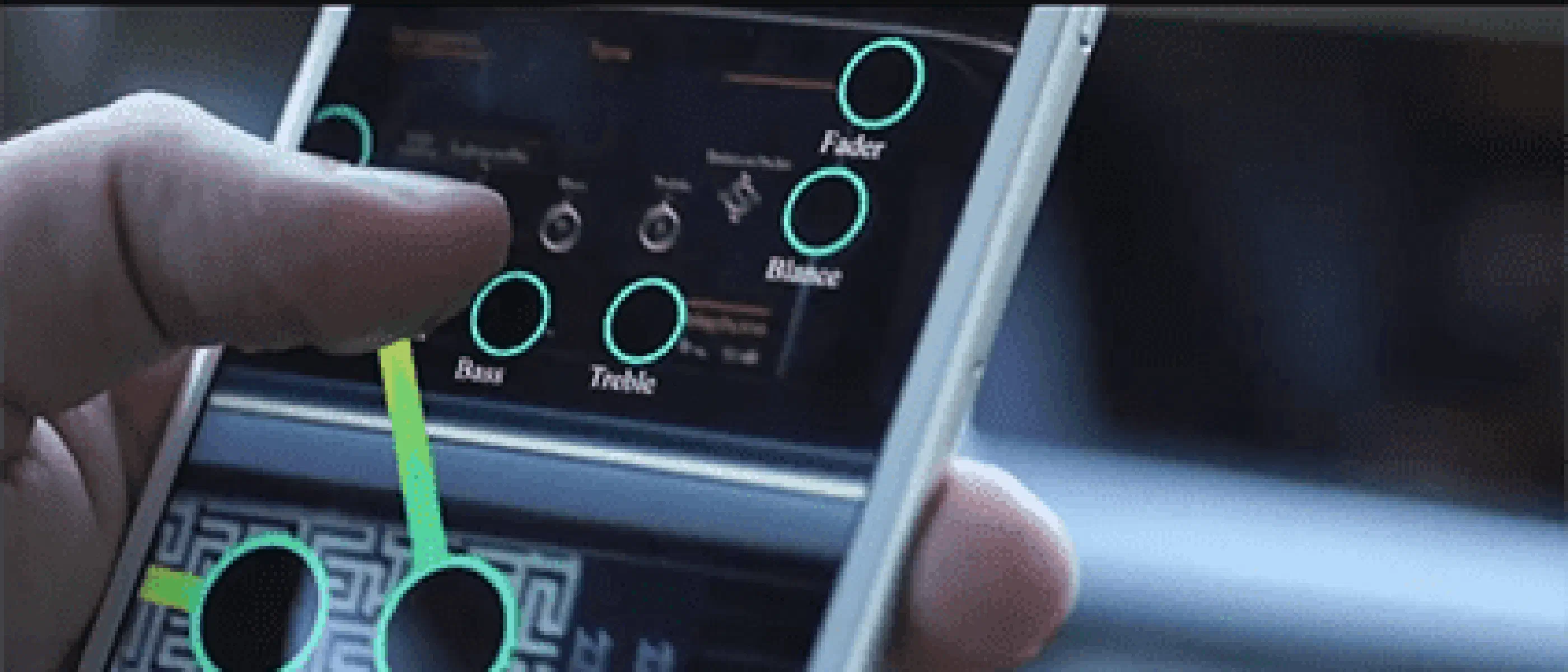
You bought a new television and now you have to set it up. You want it to ’talk’ to your remote control. Fortunately, in most cases this is relatively simple: You put the batteries in the remote control and you’re done!
The scenario of: ‘I get out of bed and the coffee machine downstairs turns on, grinds and makes my favorite coffee’ is a bit more difficult. This often requires additional equipment or a special card in your coffee machine.
The challenges become even greater if you then want to connect the coffee machine to your phone, for example. Programs that you have to install on your computer or tablet that then do not want to work together is the rule rather than the exception.
Anyone who is somewhat involved with home automation and smart homes will say: ‘But hasn’t that been around for a long time? The Miele coffee machine, HomeKit from Apple, [Fibaro]( https://partnerprogramma.bol.com/click/click?p=1&t=url&s=39442&f=TXL&url=https%3A%2F%2Fwww.b ol.com%2Fnl%2Fp%2Ffibaro-z-wave-home-center-2%2F9200000022394662%2F&name=Fibaro%20Home%20Center%202), KNX, etc?”. They are completely right about that. These scenarios are easy to create, as long as you have a little bit of technical knowledge and a healthy dose of perseverance.
There are more than enough people who do not recognize themselves in the above ‘job description’. Who recognizes themselves as the ‘flashing 0:00 generation’ when I talk about the VCR? (For those who don’t know what a VCR is: A VCR is a DVD player that contains a magnetic tape. DVD player is how you ‘used to’ watch videos for YouTube and Netflix)
Reality Editor
Fortunately, a solution is on the way: The Reality Editor from Fluid Interfaces group , a team from MIT’s Media Lab.
The Reality Editor is a new kind of tool that allows you to make connections with physical objects, as well as customize its functionality. Simply point your smartphone camera at an object and the object’s hidden capabilities will be revealed so you can edit them. You make direct connections between the devices via the protocols they speak, whether it’s WiFi, Bluetooth, NFC or any other protocol, it doesn’t matter. Even better, the signals do not have to be processed by some ‘box’ or sent via the internet.
Take a look at the following (English) video.
Examples
An example of what you can do with the Reality Editor: That light switch in your bedroom, for which you always have to get out of bed to turn off the light, is very difficult. Why not connect the area or object next to your bed to that lamp? Simply point the Reality Editor at this object and draw a line towards the light. From now on, the light will turn on and off when you do something with that object. You have now adapted your home to serve you
The same applies if you want to use a timer or alarm. Draw a line from an object that has a clock, for example your TV, to the lamp. And there you have it, you’ve made your own wake-up light.
A final example: In winter your car is cold when you want to go to work. To warm up your car as soon as you get out of bed, simply point the Reality Editor at your bed and connect it to the temperature system in the car. When you wake up, the car will ensure the right temperature in the car.
In short: You can use the Reality Editor to define simple actions and adjust functionality of the objects around you, while drawing to change the way things work together. You turn something virtual into something physical and you turn something physical into something virtual.
When can we really use this everywhere?
The video looks like science fiction, but it isn’t. Some of the research is now publicly available. You can download the Reality Editor from the iOS App Store and use the open source platform called Open Hybrid to create a new generation of hybrid objects. This vision is not just for do-it-yourselfers and engineers, but is also very applicable to the next generation of high-tech users.
It will still take some effort before it is actually used. Nowadays there are so many systems that can communicate that it becomes a challenge to get everything talking to each other. This already applies to other systems, such as the new Apple TV and other home automation systems. Still, I have high hopes. The Reality Editor has what a lot of other systems don’t: The simplicity with which a non-computer nerd can create links between various objects.
The Reality Editor is definitely something to keep an eye on.